Help › Money, Bookie and your look
Set up Bookie
Switch on the booking assistant and teach it about your clinic.
OwnerPaid plansBefore you start
Bookie is the chat on your booking page that finds sessions and free times and opens the booking form for families. It comes with paid plans.
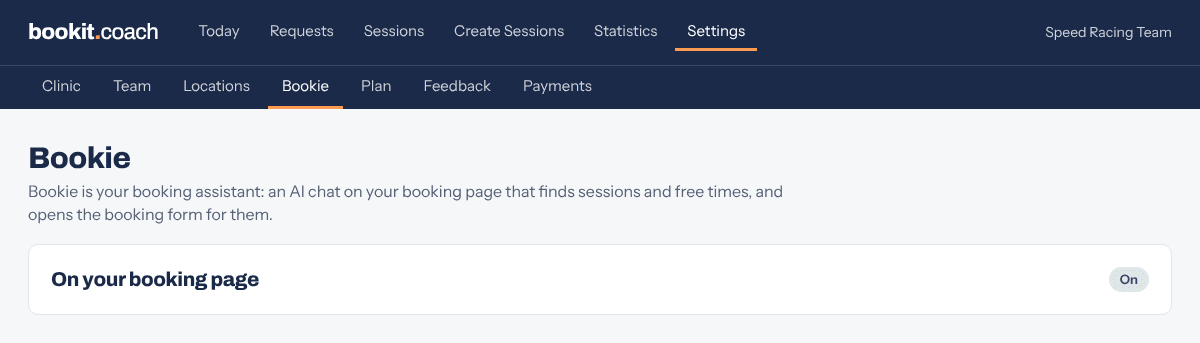
- Open Settings › Bookie.
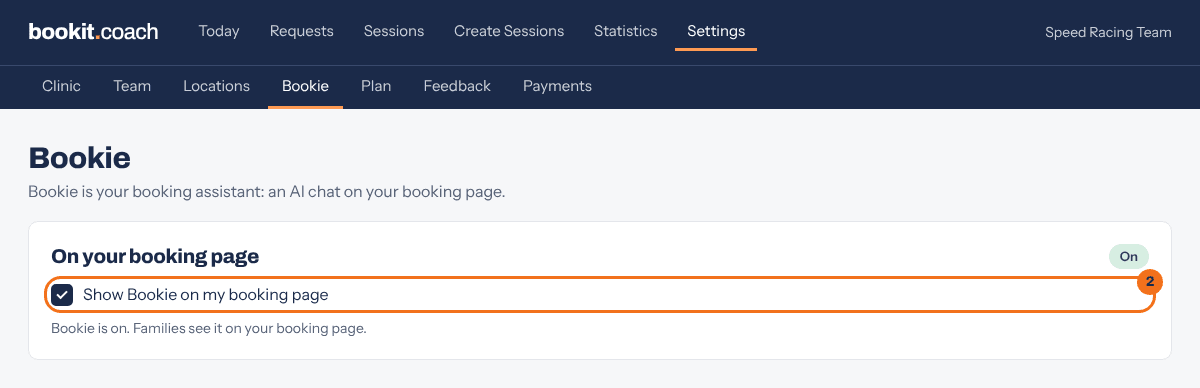
- Tick Show Bookie on my booking page. It saves as soon as you tick it.
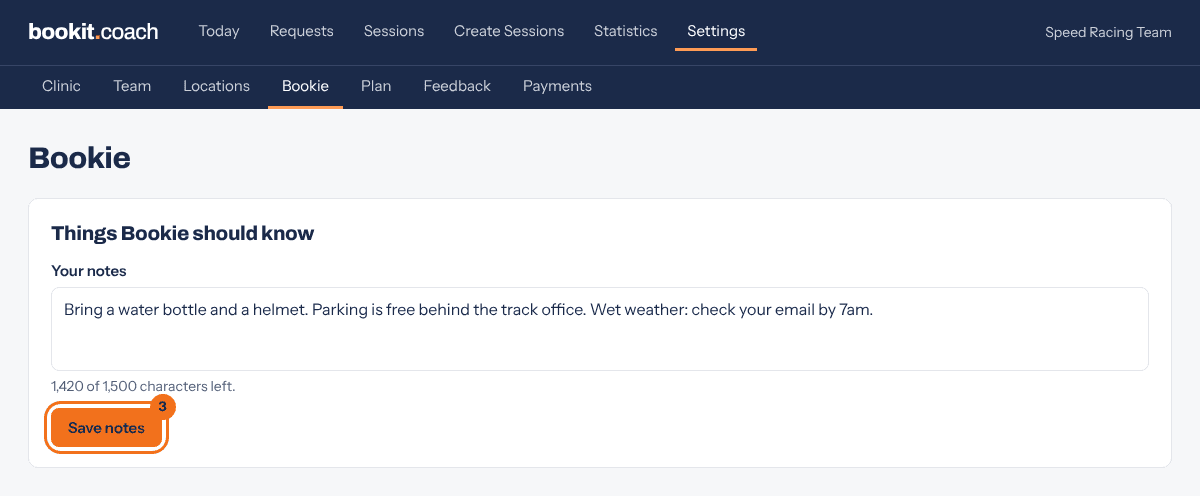
- Under Context, in Things Bookie should know, write what families often ask that is not in your sessions, such as what to bring or where to park. Press Save notes.
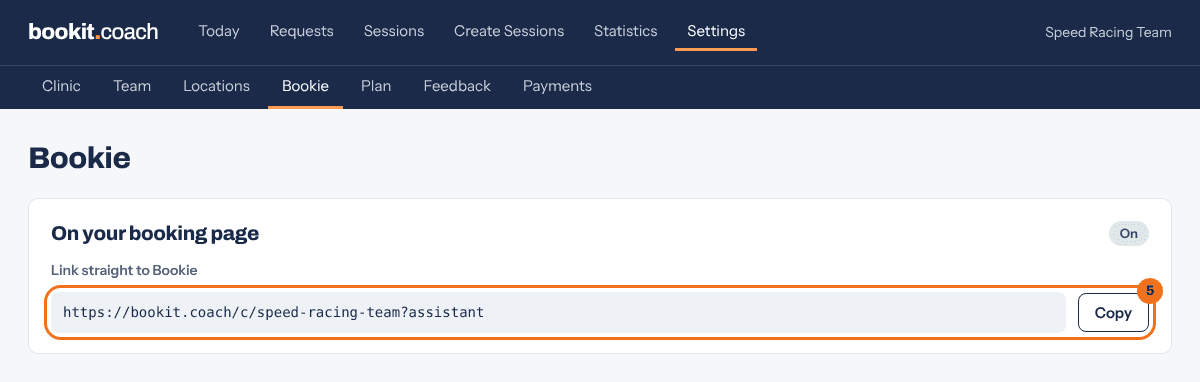
- To send people straight to Bookie, copy the link under Link straight to Bookie and use it on your website or Instagram.
Good to know
- Under Questions Bookie couldn't answer you see what people asked that Bookie did not know. Add the answers to your notes. Questions are kept for 30 days, with no names or contact details.
- Each plan includes 500 Bookie chats a month. Chats this month shows how many you have used, and Add chats under it lets you buy more. How Bookie works on the same page explains what Bookie does.
Still stuck? Write to hello@bookit.coach. Last checked 27 November 2026.