Help › For families
Book a session with a clinic
Join a session, pick a coach's free time or tell the clinic what suits.
FamilyBefore you start
You need the clinic's booking link. It is on their website or in a message from them, or ask the clinic for it.
There is no password. We email you a 6-digit code to confirm it's you.
- Open the clinic's booking link. Under How to book, choose Join a session, Pick a coach's free time or Tell us what suits.

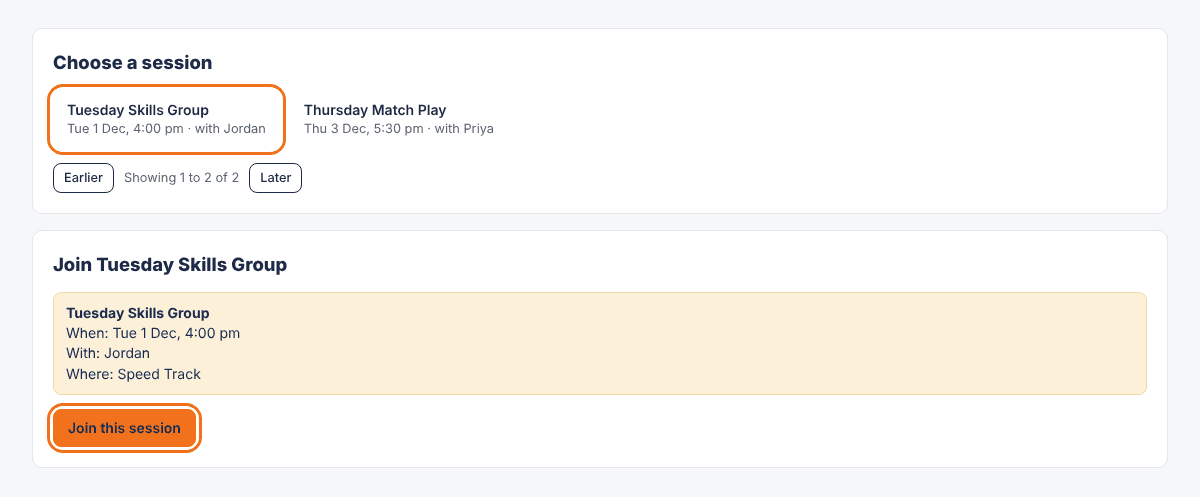
- To join a session, find it under Choose a session and press it. A Join box opens below with its details. Use Earlier and Later to see other weeks. A session with no places left isn't listed, if the clinic has chosen to stop bookings once a group is full. If someone sends you its link, it opens and tells you it is full: contact the clinic if you'd like a place. On a weekly series, a full date is left out of its dates; if one fills up while you join, we leave it out and tell you which.
- To pick a free time, choose a coach or Any coach, then a time. Other people may ask for the same time. It's yours once the coach confirms.
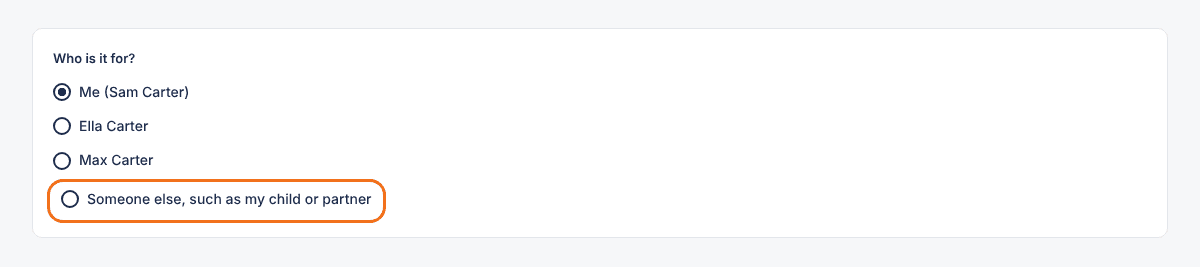
- Under Who is it for?, choose yourself or Someone else, such as my child or partner, and fill in their details.
- Press Join this session, or Send request for a free time. If you are not signed in, we email you a 6-digit code. Type it in and press Confirm and join, or Confirm and send request.
- Nothing suits? Choose Tell us what suits, say what you're after and press Send to the clinic.
Good to know
- Your booking shows on My bookings straight away.
- Next time, the people you have booked for are already listed.
Still stuck? Contact your clinic, or write to hello@bookit.coach. Last checked 28 November 2026.