Help › For coaches
Requests that come to you
Confirm or decline a family's request for one of your sessions or times.
CoachBefore you start
A request is a family asking to join one of your sessions, or for a free time with you. You see only the ones that come to you.
- Open Requests in the menu.

- Choose Session requests for families asking to join an existing session, or Requested times for families asking for a free time with you.

- Read who is asking, which session or time, and their note if they left one.

- For a session request, press Confirm to say yes. If it clashes with other requests, the button becomes Confirm and release and lists the requests it will release. Press Cancel to go back.

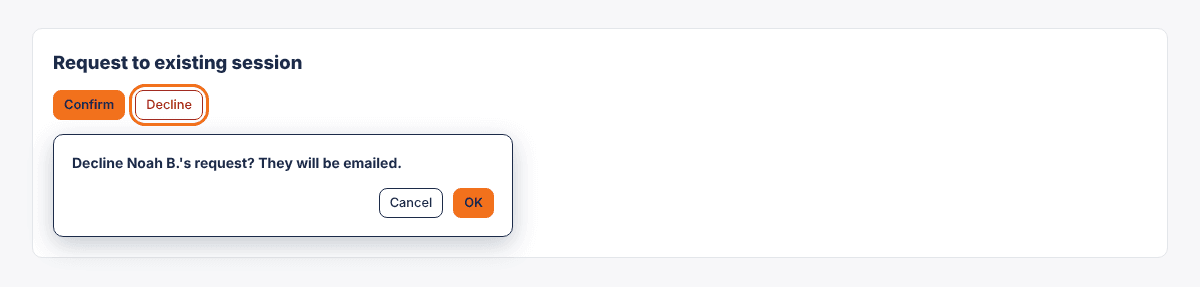
- Press Decline to say no. You are asked to check first, and the family is emailed.
- For a requested time, press Create session. The form opens with you as the coach, where you can change the time, length, place and price before you create it.

Good to know
- A weekly request has a tick that reads Answer all and the number of dates, such as Answer all 4 in this series. Leave it ticked to answer the whole series at once.
- The number beside Requests in the menu counts new messages to the clinic and requested times that are waiting.
- History lists requests that have already been answered.
Still stuck? Write to hello@bookit.coach. Last checked 16 November 2026.