Help › Sessions and people
Run the day from Today
See today's sessions, tick who came, tick who has paid, and chase what is owing.
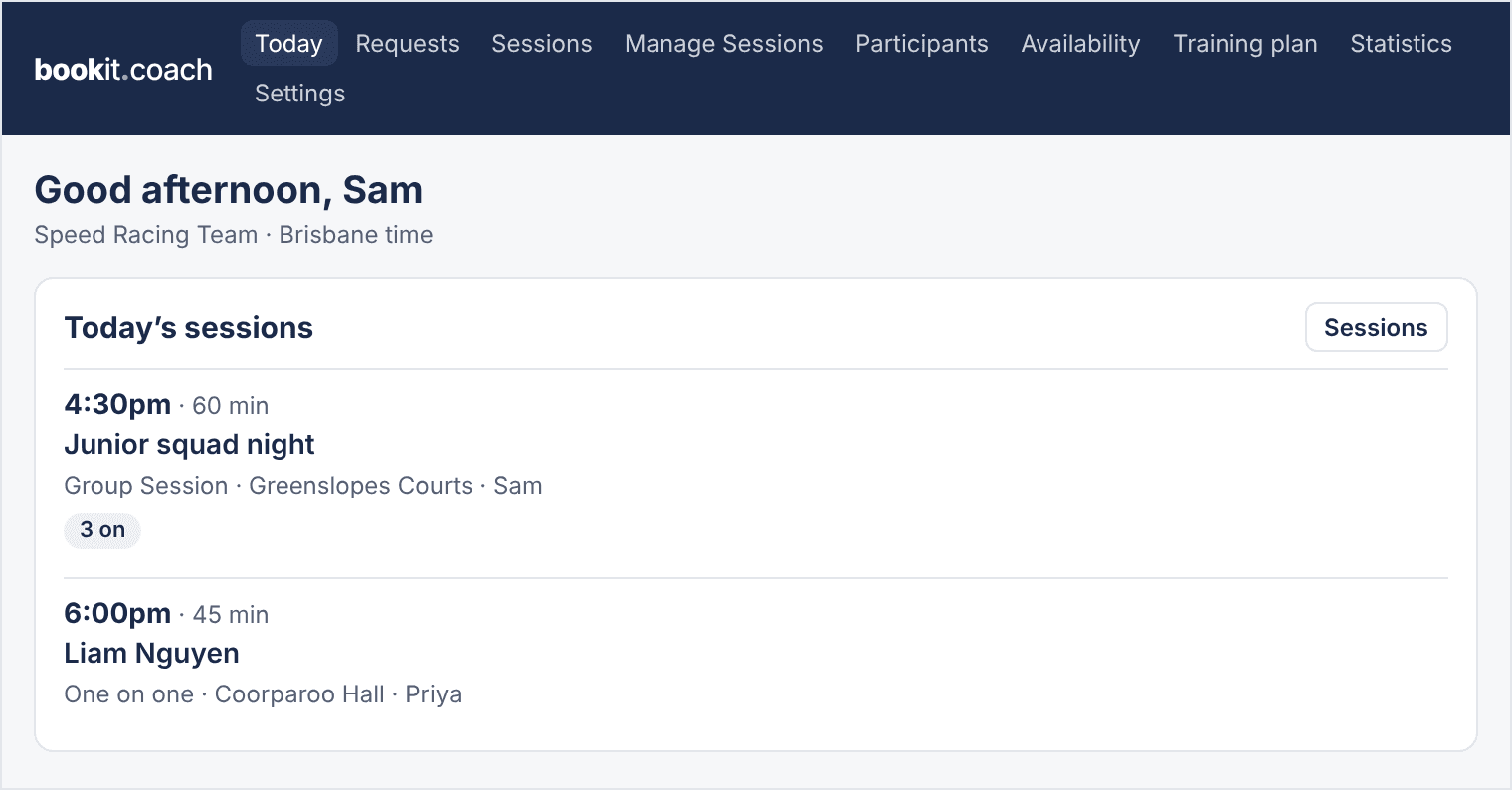
OwnerAdminCoach- Open Today. Today's sessions lists each session with its start time, length, place and coach.
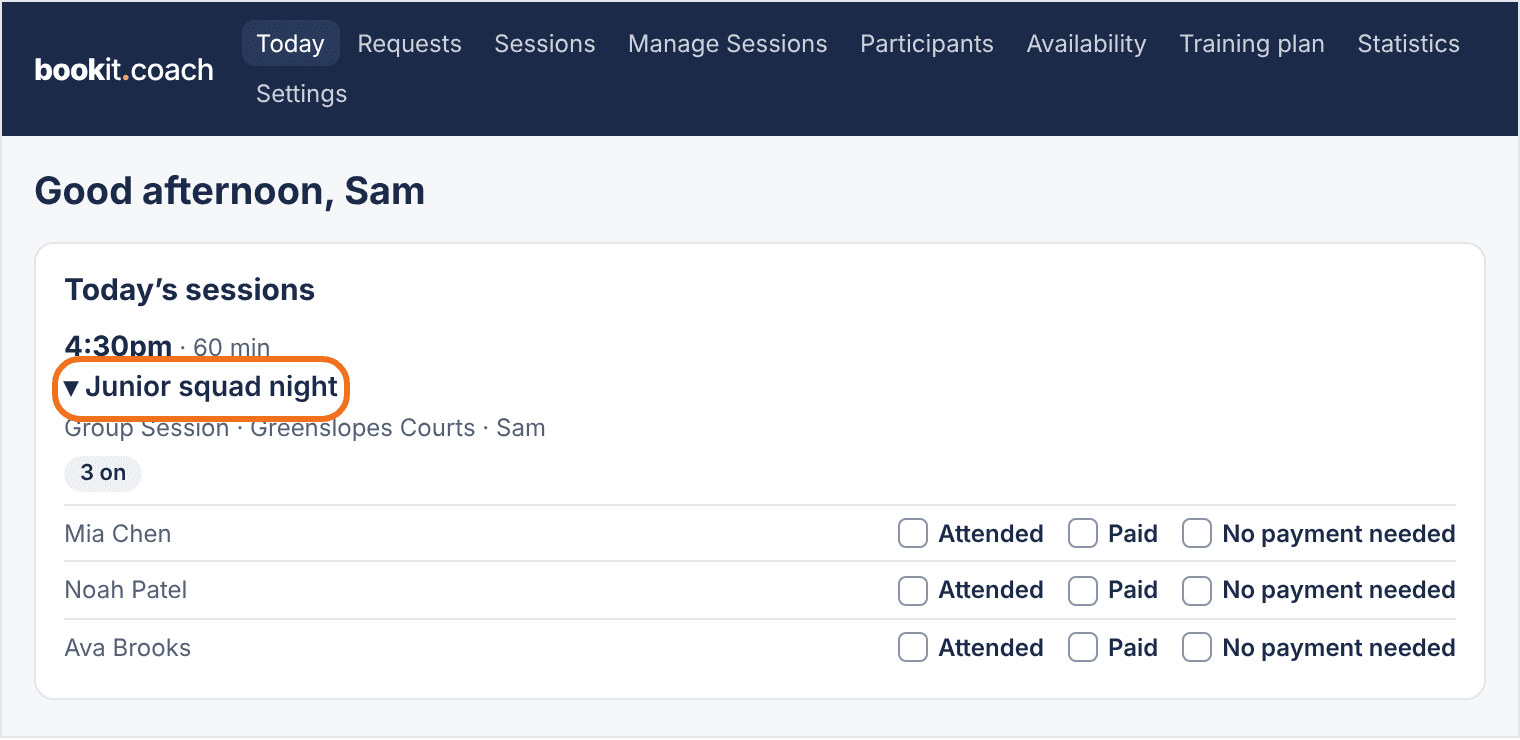
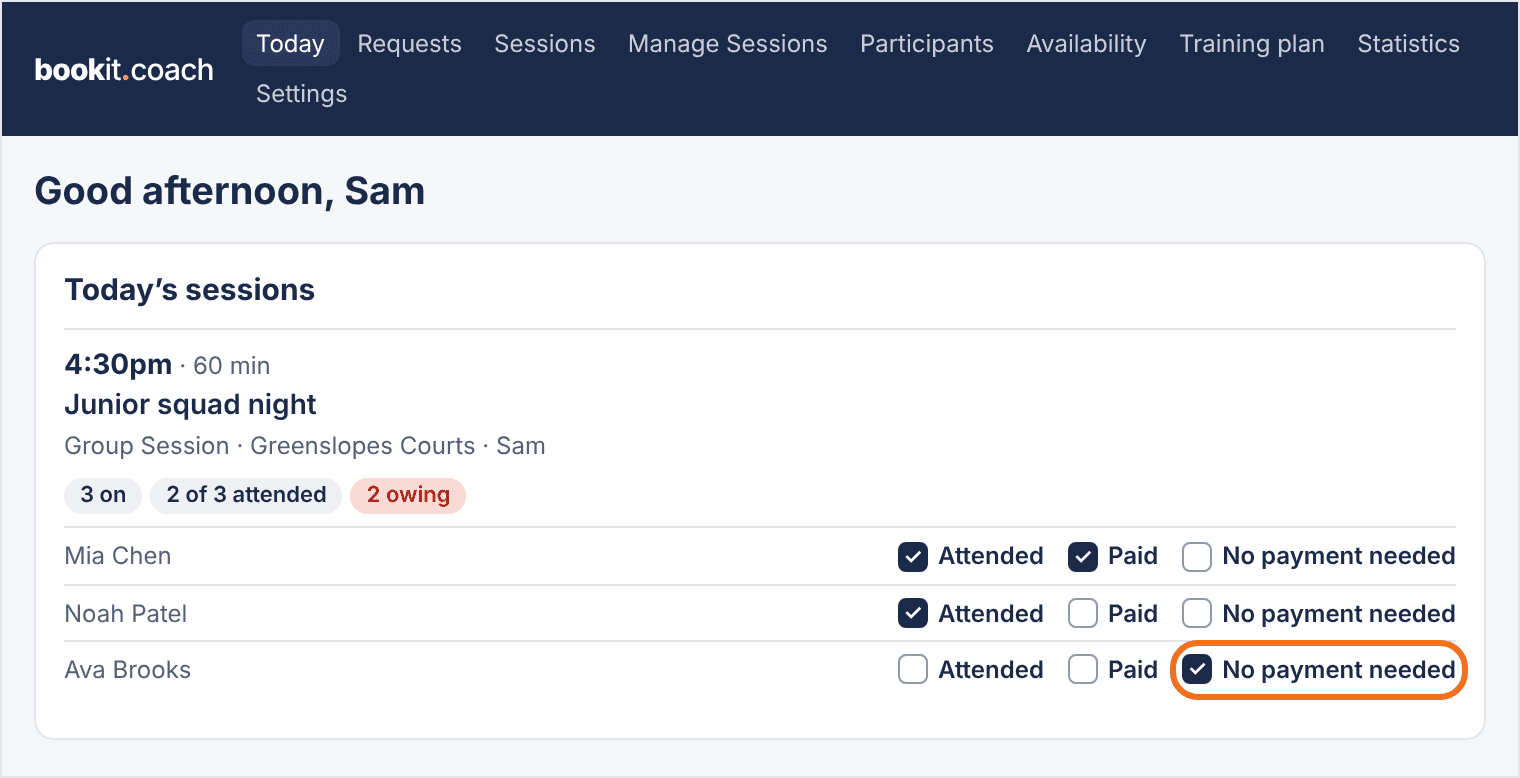
- Press a group session's name to open it. You see who is on it. A one on one shows its Attended tick on the same row.
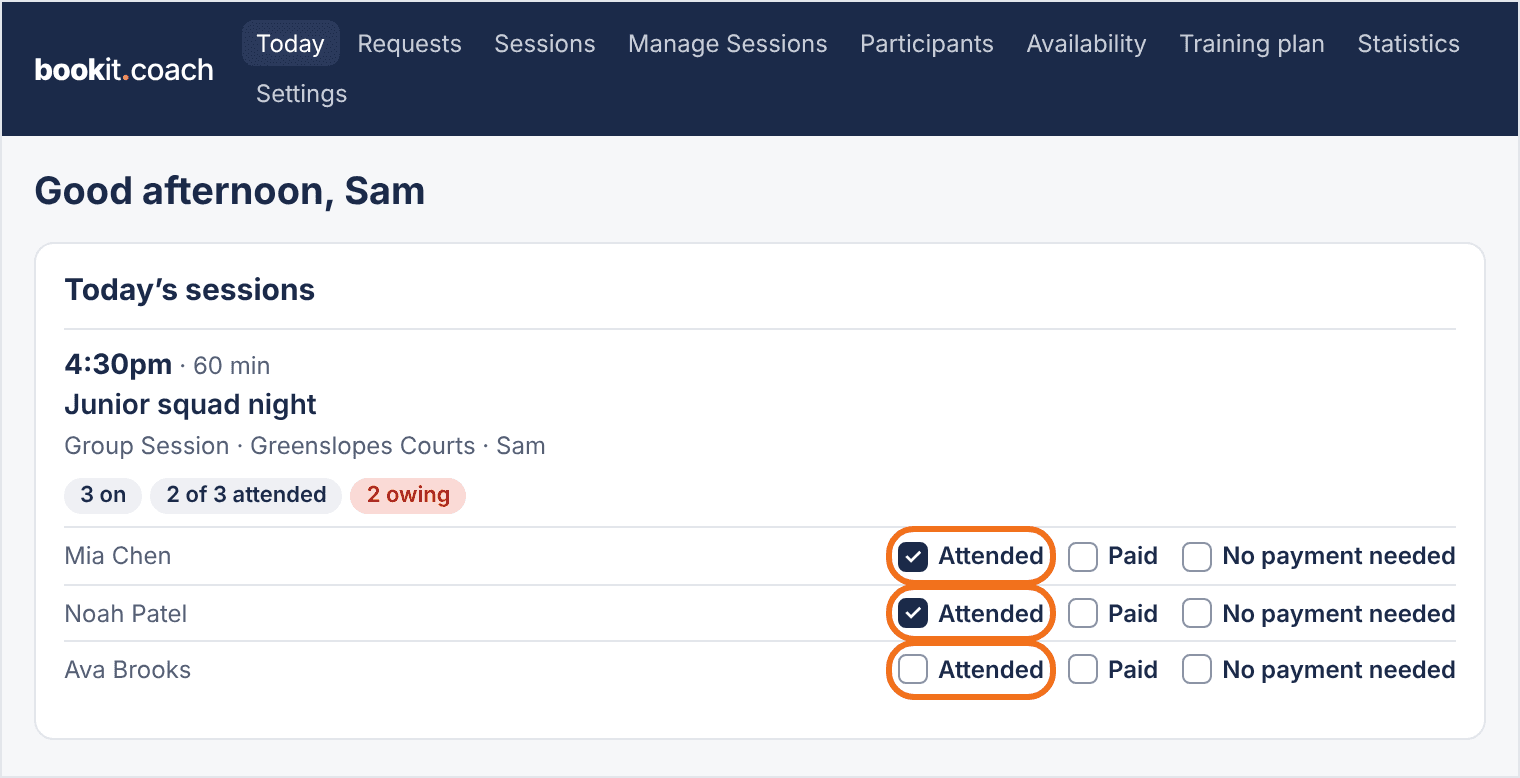
- Once the session has started, tick Attended for each person who came. The count beside the title shows how many have been ticked.
- Owners and admins also see Paid. Tick it when someone has paid you, for example in cash or by PayID.
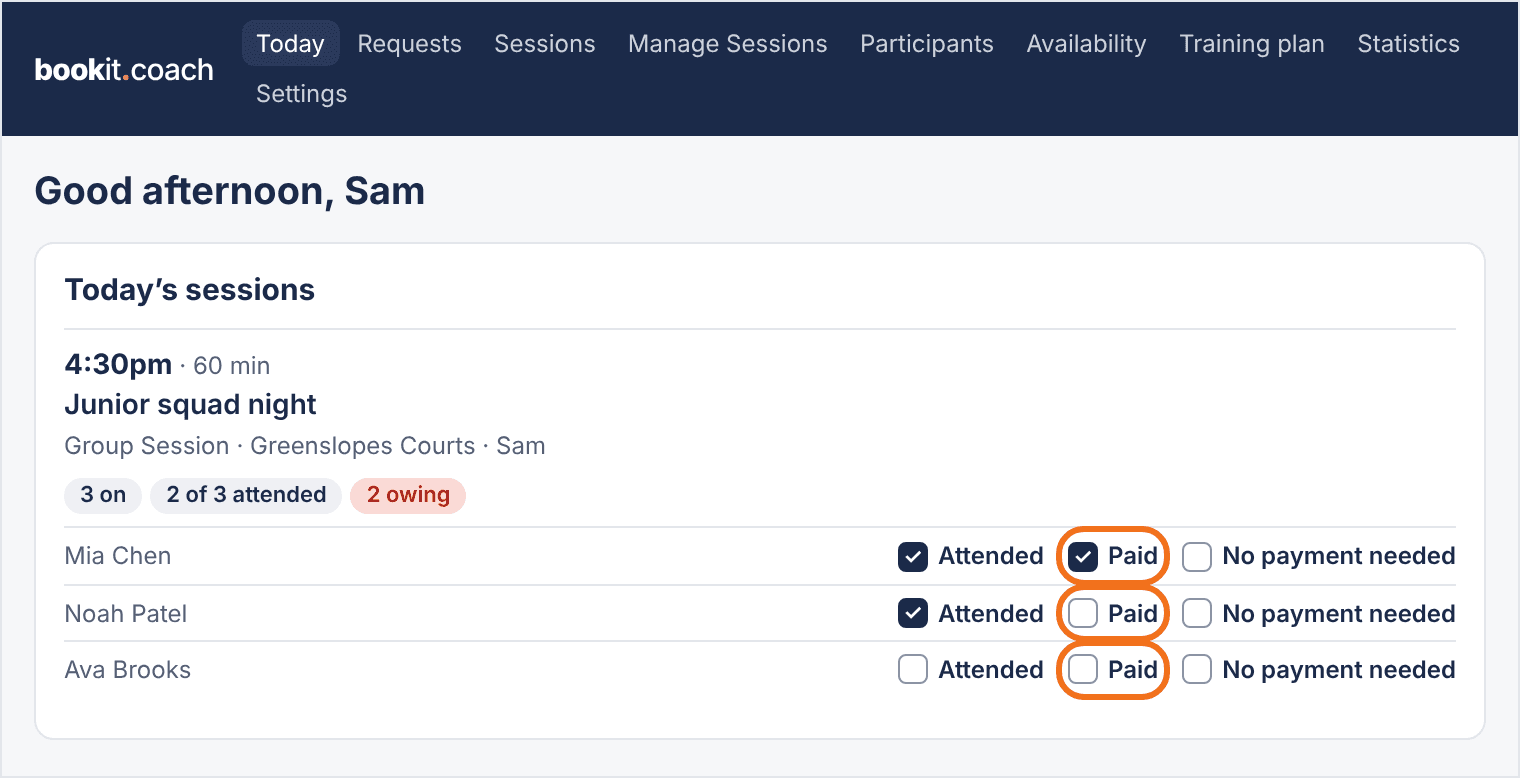
- If someone did not need to pay, tick No payment needed instead.
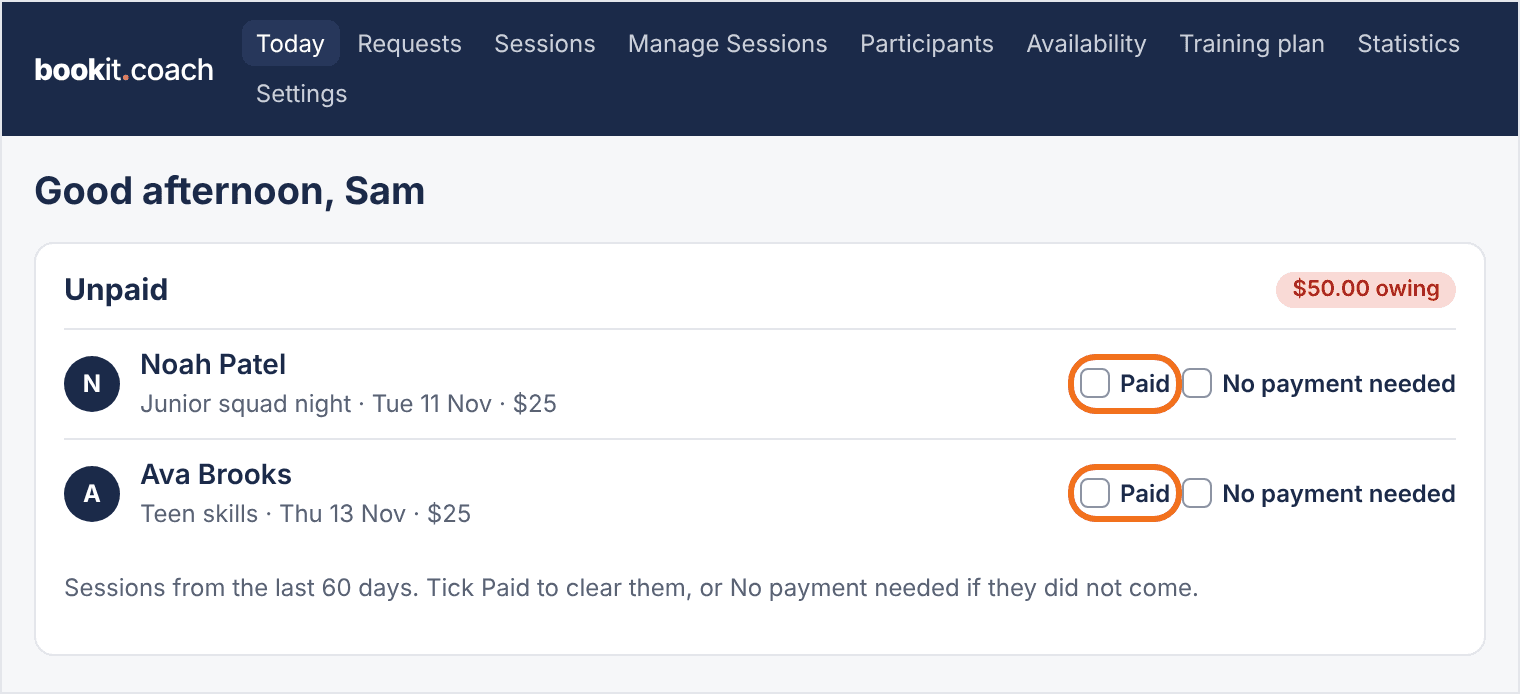
- Scroll down to Unpaid. It lists sessions from the last 60 days that nobody has marked paid, and the total owing. Tick Paid or No payment needed on each row to clear it.
Good to know
- Attended and Paid appear only once the session has started.
- A coach sees Attended but not Paid, and not Unpaid.
- If someone paid by card, un-ticking Paid asks whether to refund them or just untick.
- If the session has a training plan, its run sheet is under the participants.
- If a coach is booked twice today, a red Overlap banner sits above Today's sessions with the reason. Owners and admins see it until the overlap starts. The coach sees their own until it ends.
Still stuck? Write to hello@bookit.coach. Last checked 21 November 2026.