Help › Training plans
Create a training plan
Build a set of numbered sessions, each a timed run sheet of activities.
OwnerAdminCoachPaid plansBefore you start
Training plans come with paid plans. Owners and admins can always create them. A coach can only if the owner ticks Coaches can create training plans in Settings › Team.
A plan is a guide for coaches, so keep it short and easy to read on a phone at the court. Leave children's names out of it.
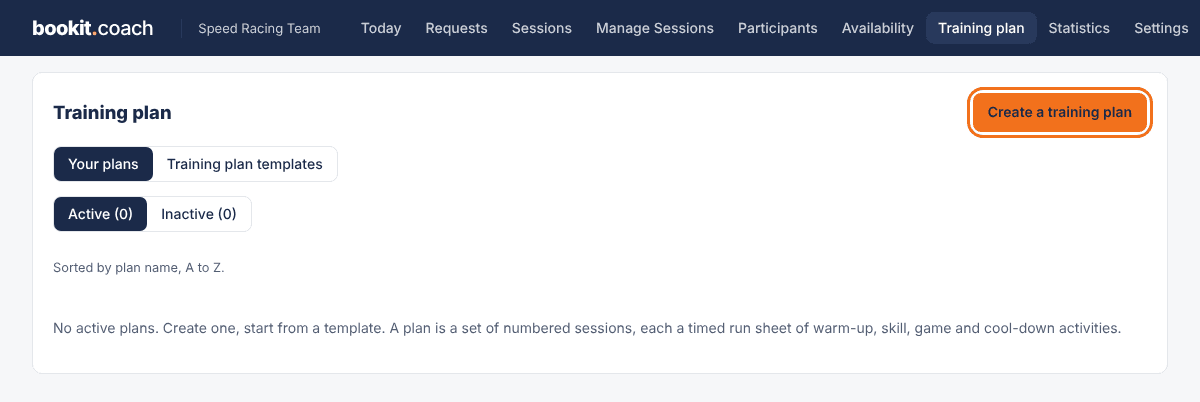
- Open Training plan in the menu and press Create a training plan.
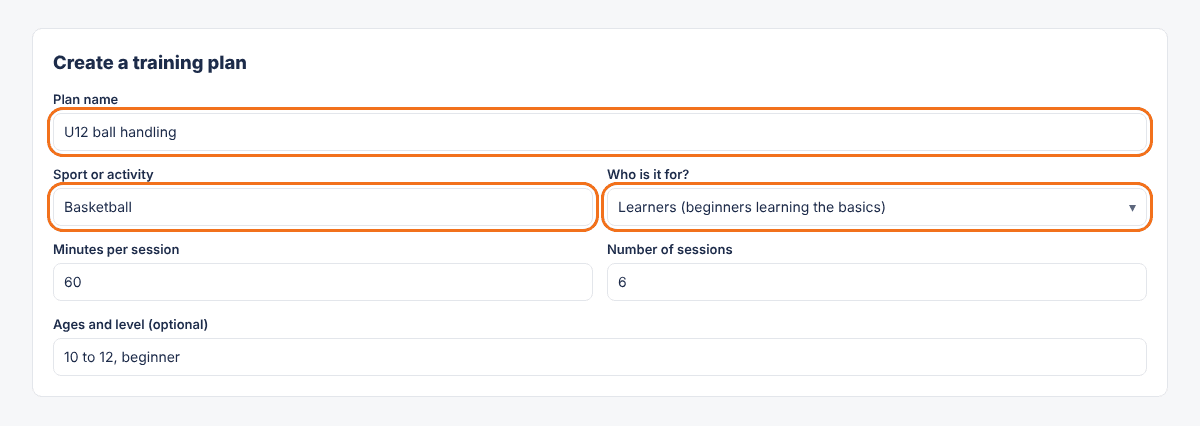
- Type a Plan name and your Sport or activity. Under Who is it for?, choose Learners, Social players or Competitors.
- Set the Minutes per session and the Number of sessions. Add Ages and level (optional) if it helps, such as 10 to 12, beginner.
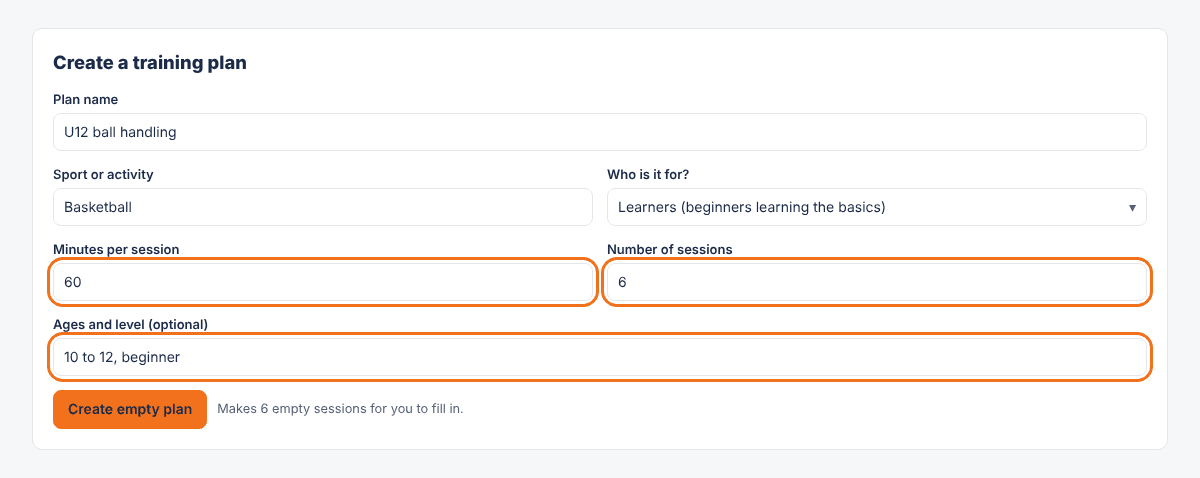
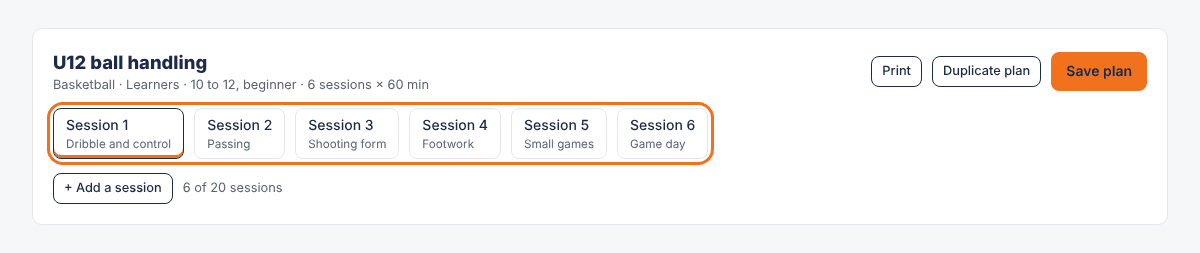
- Press Create empty plan. The plan opens with that many empty sessions, shown in a row of Session buttons. Choose one to work on it.
- Give the session a Session name and a Session goal, one line in plain words, such as Control the ball with both hands.

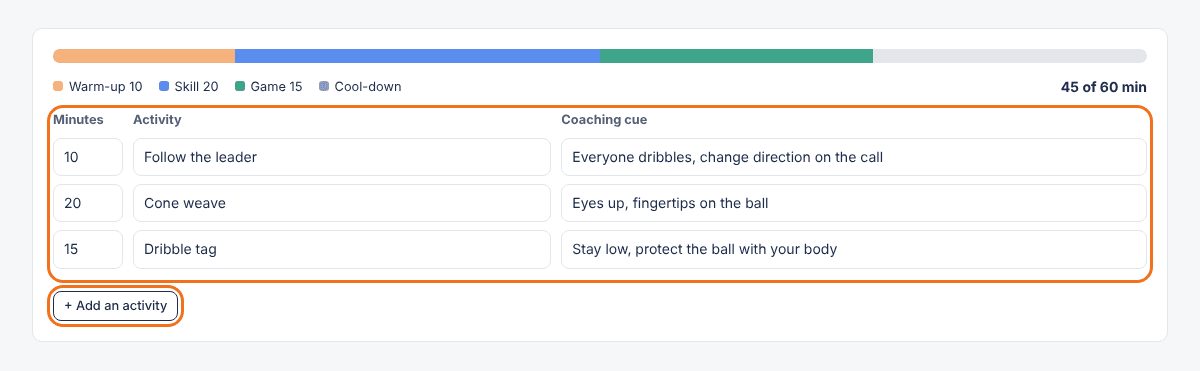
- Press + Add an activity. Fill in the Minutes, the activity name and a Coaching cue (optional). A bar shows how the minutes add up against the session length, and warns you when they run over.
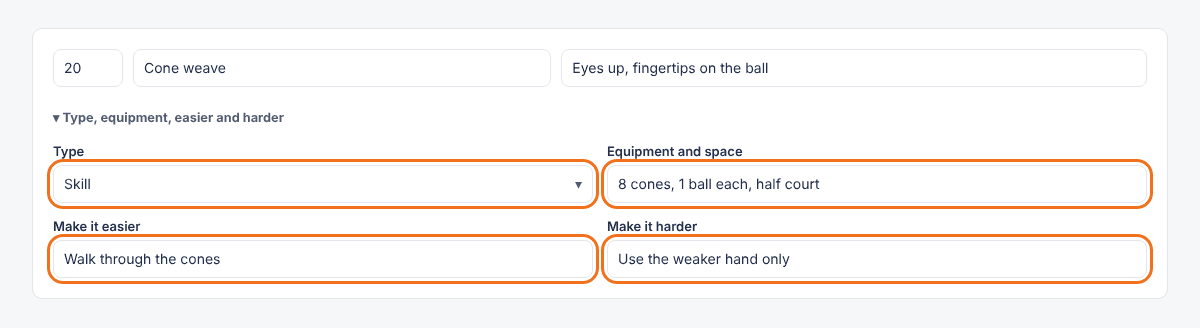
- Open Type, equipment, easier and harder under an activity to choose its Type (Warm-up, Skill, Game or Cool-down) and add Equipment and space, Make it easier and Make it harder.
- Do the same for each session. Copy this session saves typing when two sessions are alike.

- Press Save plan. Nothing is saved until you do.

- To change the whole plan, press Ask Bookie to change the whole plan above the Session buttons, then tap Make it harder, Make it easier, More game time or Shorter warm-ups, or type what you want. Bookie rewrites every session at the same length. To keep some sessions as they are, pick the sessions you want changed under Which sessions? first (for example 3 to 8 keeps Sessions 1 and 2). Changed sessions show a green changed tag until you save. Nothing is saved until you press Save plan, and Undo in the banner brings the plan back as it was. After you save, Bookie asks if there is anything else. Press Done when you are finished: it closes the chat, and the next change with Bookie starts a new one.
Good to know
- Everything Bookie does in one conversation (build, change the whole plan, change one session, add sessions) counts as 1 Bookie chat. A chat allows 3 whole-plan changes. After that, Bookie offers a new chat, which uses 1 more from your monthly allowance. The round Bookie button opens the plan builder on the Training plan pages.
- A plan can have up to 20 sessions, and a session up to 20 activities. Past 10 sessions, the editor reminds you to look the plan over as it runs.
- Print gives one session per page for the court. Duplicate plan makes a copy to change. Both use the saved plan, so press Save plan first.
- Owners and admins can Make inactive a plan you no longer use. It leaves the picker and can come back from the Inactive list.
- Plans are for weekly series, including a repeating one on one. A single session does not take a plan. See the guide on starting from a template and linking a plan to a series.
- If your clinic moves back to Solo's free start, your plans stay here to read and print, but you cannot create or change any until you upgrade.
Still stuck? Write to hello@bookit.coach. Last checked 18 November 2026.