Help › Training plans
Start from a training plan template and link it to a series
Copy a ready-made plan, then give a weekly series its own copy.
OwnerAdminCoachPaid plansBefore you start
Training plans come with paid plans. A coach needs the owner to tick Coaches can create training plans in Settings › Team.
A plan links to a weekly series, including a repeating one on one. A single session does not take a plan.
- Open Training plan and choose Training plan templates at the top.

- Pick a Sport or activity from the drop-down, or type in Search to find a template by its name, sport, ages or group. Choose All sports and activities to see every template.

- Press Preview to read a template's sessions and activities. Nothing changes until you use it.
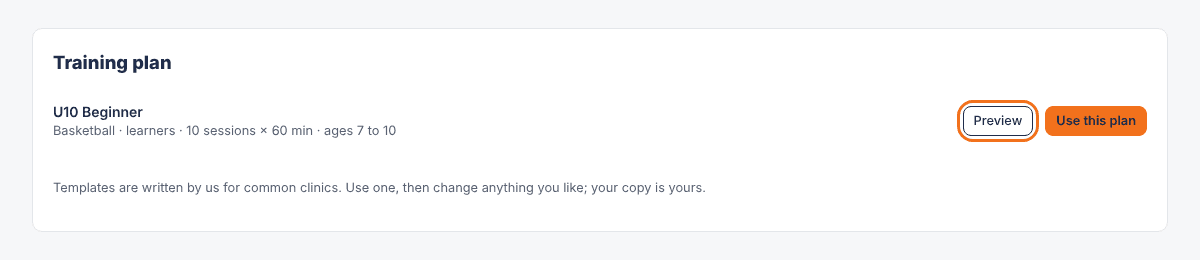
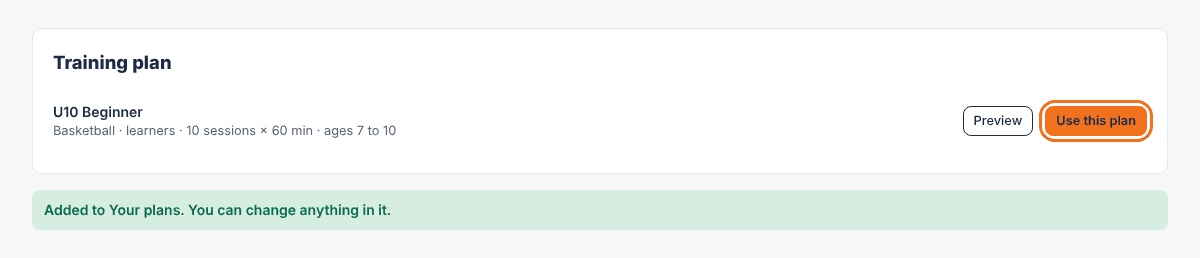
- Press Use this plan. You get your own copy in Your plans, marked as started from a template. Change anything you like in it, then press Save plan.
- To link it, open Manage Sessions and find your weekly series. Press Show series settings and find the Training plan card.

- Choose the Plan, then choose which date Session 1 starts on. Each upcoming date in the list shows the plan session it will get.
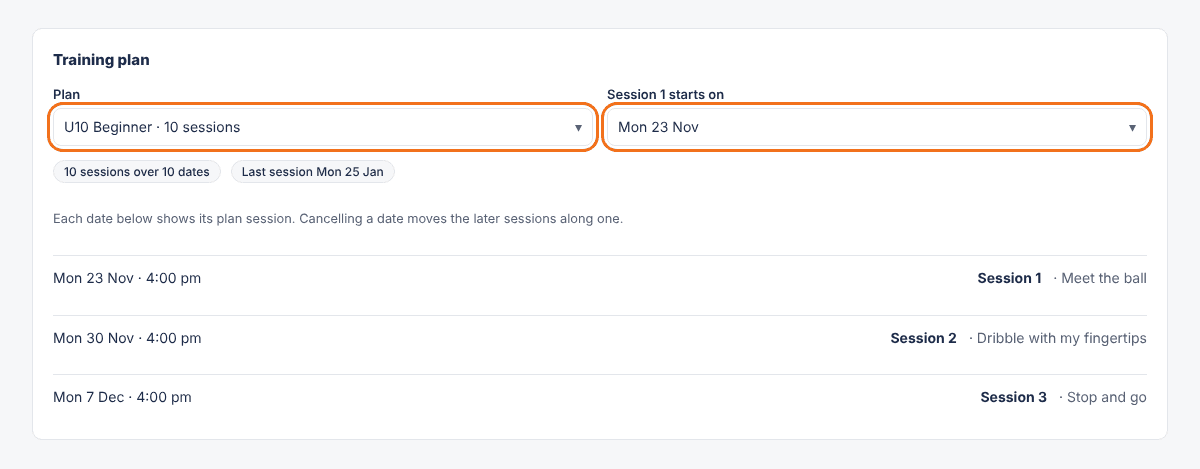
- Press Save series. The series now has its own copy of the plan.

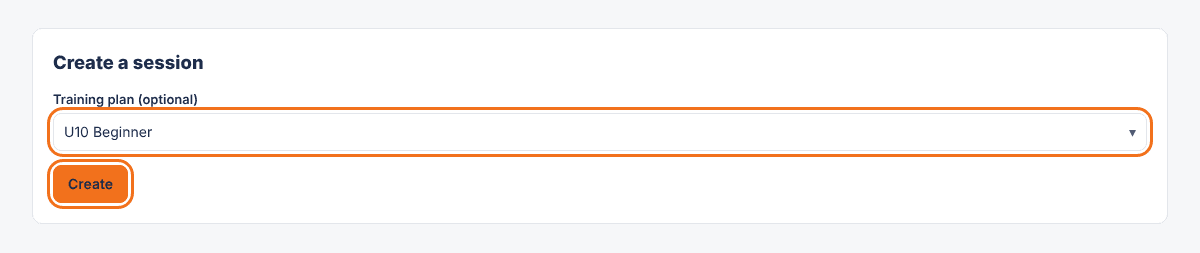
- Or link a plan when you create the series: use the Training plan (optional) field on Create a session, just above Create. It fills in the title, length and number of dates only where you have left them empty.
Good to know
- The series keeps its own copy. Changing the plan in Your plans later does not change a series that already has it, and changing the series' copy does not change your plan.
- Cancel a date and the later plan sessions move along by one, so no session is skipped.
- A template is a starting point written by us for common clinics. Once you use it, the copy is yours.
- Your plans shows each series using a plan and how far it has got, such as Up to Session 3 of 8.
Still stuck? Write to hello@bookit.coach. Last checked 16 November 2026.