Help › Money, Bookie and your look
Record Session credits manually, or refund
Record a cash, PayID or bank transfer sale of Session credits, and give back what a family hasn't used.
OwnerBefore you start
Session credits belong to one participant, so you do this on their page.
Sales you record by hand carry no bookit.coach fee.
- Open Participants, press the participant's name, then open the Session credits tab. You see their balance and a table of every sale, use and expiry.
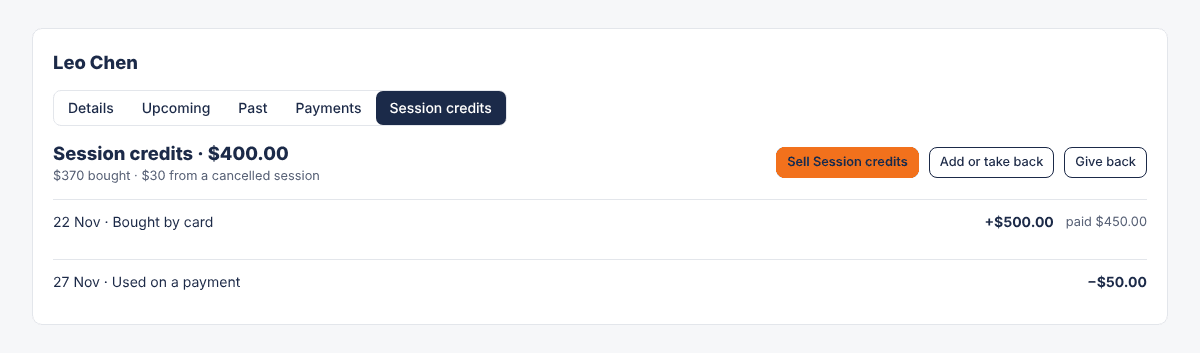
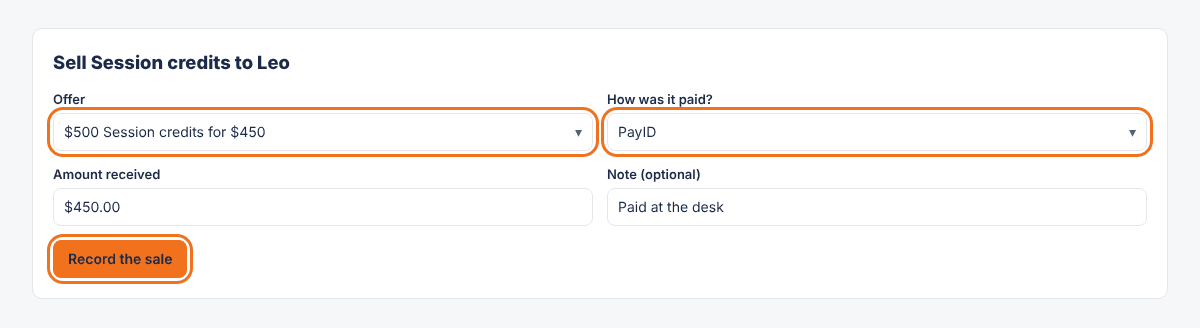
- To record a sale, press Sell Session credits. Choose an offer (or another amount for a one-off), how it was paid, and the amount you received. Add a note if you like, then press Record the sale.
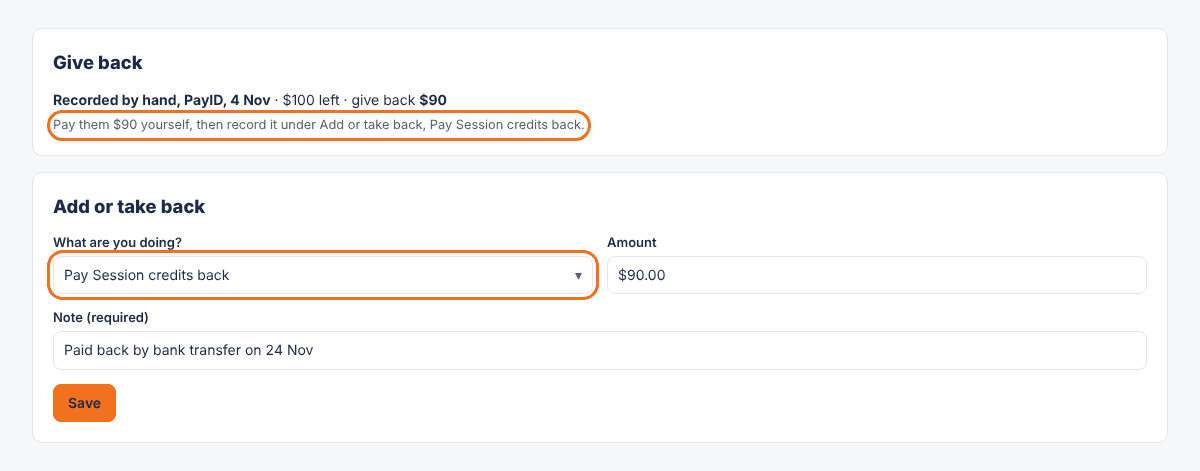
- To refund credit bought by card, press Give back. It lists each lot, what is unused, and what you can give back. Open the payment in Stripe from the link and refund that amount. The matching Session credits come off by themselves once Stripe confirms.

- Credit you recorded by hand can't be refunded in Stripe. If a family paid in cash, PayID or bank transfer, there is no card payment to refund. Give back tells you how much to pay them. Pay them yourself, then press Add or take back, choose Pay Session credits back, enter the amount and a note, so their balance matches.
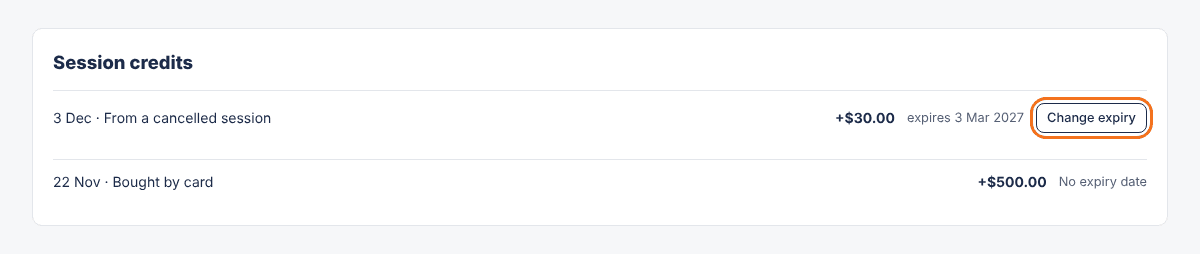
- To move the date credit expires, press Change expiry beside it in the table. A note is required, so there is a record of why.
Good to know
- Only unused bought credit can be given back, and only what the family paid for it. The bonus is never paid out as money.
- Pay Session credits back only records a payment you made yourself. Nothing goes through Stripe.
- Everything you do here is kept in the table on the Session credits tab, with the date and who did it.
- Only owners see the Participants page.
Still stuck? Write to hello@bookit.coach. Last checked 23 November 2026.