Help › Money, Bookie and your look
Take card payments
Connect your Stripe account so families can pay by card with Pay now.
OwnerPaid plansBefore you start
You need a paid plan, an ABN, a bank account and an ID document. It takes a few minutes, and you can pause and carry on later.
- Open Settings › Stripe Payments.
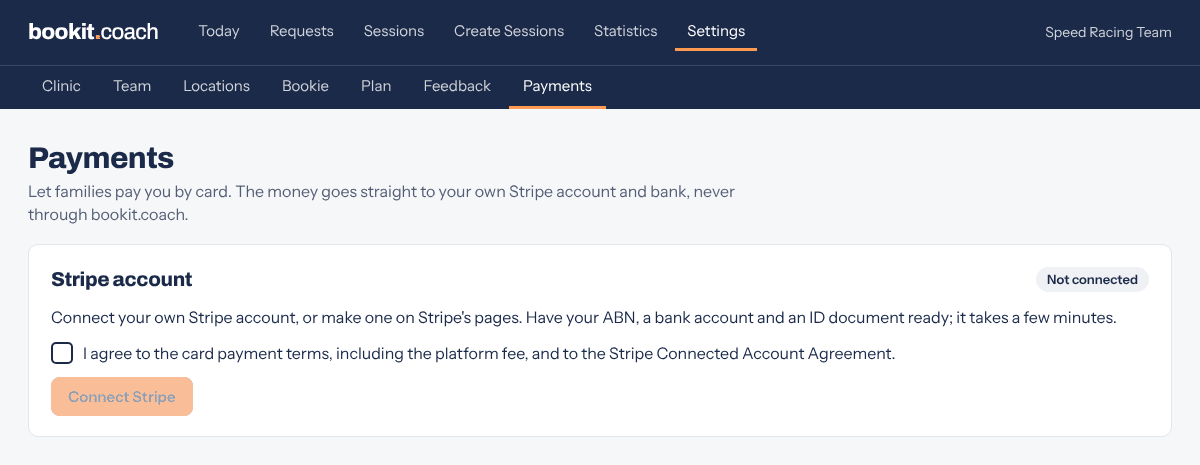
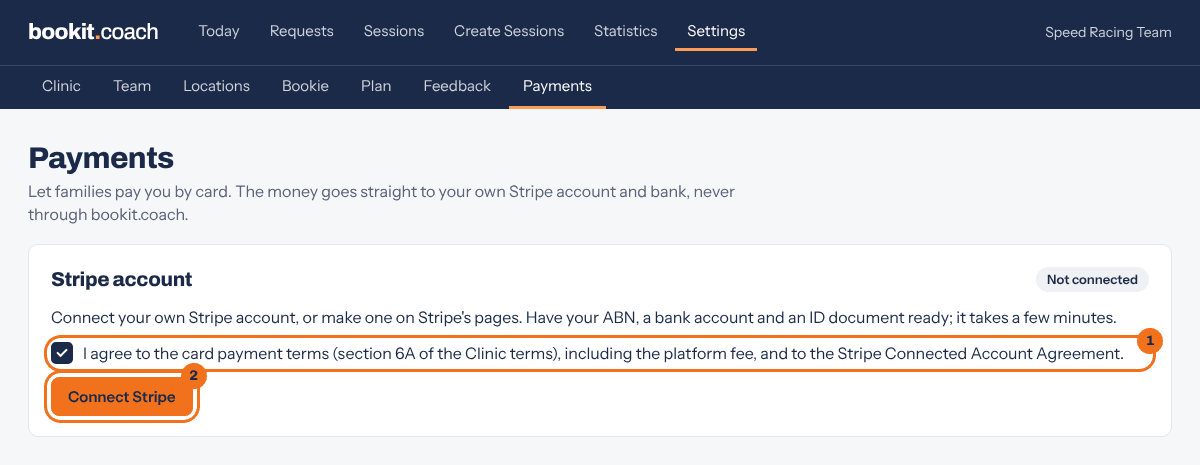
- Tick the box to agree to the card payment terms, then press Connect Stripe.
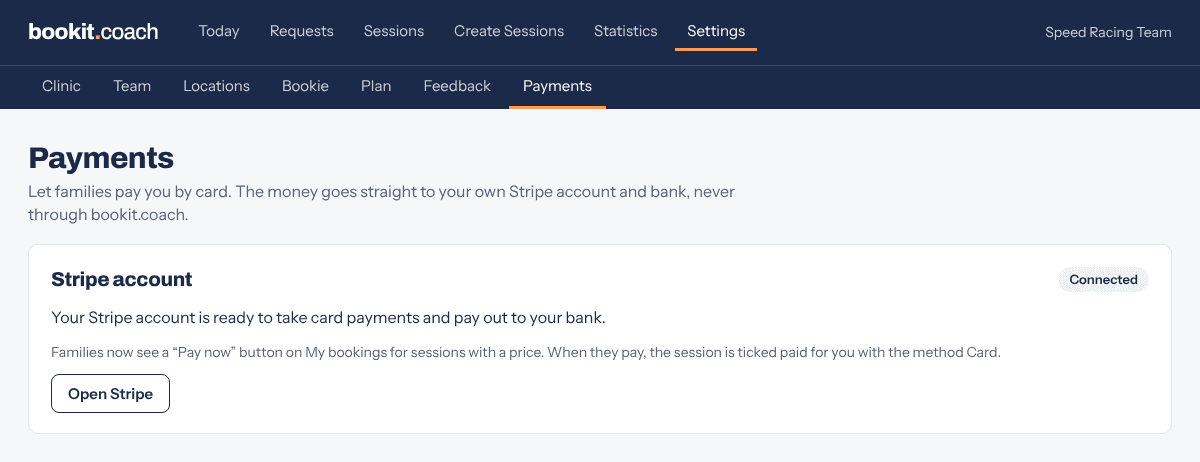
- Finish on Stripe's own pages. When Stripe says you are ready, Connected shows on the Payments page, and families see Pay now on My bookings and on their booking confirmation.
Good to know
- Cash, PayID and bank transfer still work, on every plan. You tick Paid yourself for those.
- A session a family pays for by card is ticked paid for you, with the method shown as Card.
- If Stripe is still checking your details, the page says so. Press Continue on Stripe to carry on where you left off.
- What it costs, refunds and disputes are explained on How card payments work, at bookit.coach/card-payments. There is also a link to it at the bottom of the Payments page.
- When you turn on How families can pay for a series, a family joining it chooses to pay in full, with a deposit, monthly or fortnightly. They pay the first amount by card straight away, and the later ones from My bookings › Payments › Session Due, where the plan shows as one item with what is paid and what is still owing, not session by session. 3 days before each later payment we email them a reminder with a Pay now button. Sessions covered by a plan are ticked paid for you. On Today, a part-paid session shows Owes $X. If a family cancels a paid session on a plan (or you cancel or remove it), what they paid for it stays as Session credits with you: they see it on My bookings > Session credits, and you see it under Participants > their name > Session credits, where you can add some or take it back (for example after you refund them yourself). Unpaid sessions simply come off what they owe. If a family pays you cash, PayID or bank transfer, open Participants > their name > Payment plans, choose the payment, type the amount you received (a part payment is fine) and press Record a payment. Send pay link emails them a Pay now reminder for a payment straight away. If the family has Session credits, press Use Session credits on this payment there, or they can press Use Session credits next to Pay now on My bookings. Session credits never go above what is owing, and carry no card fee. A plan never blocks a booking.
- Session credits on a single session. A family with Session credits sees Use $X Session credits next to Pay now on a session that is not paid. It pays all of it, or part: with $50 of Session credits on a $75 session, the card is asked for the other $25 and the booking shows Paid by card and Session credits. Before paying, Put them back returns them. You can do the same under Participants > their name > Session credits > Put Session credits toward a booking; if some is left to pay in cash or PayID, tick Paid as usual. If you cancel the session, or un-tick one that Session credits paid in full, they go back to the participant. On Statistics, Paid by method shows that part as Credit and only the rest as Card.
- Paying Session credits back. If a family would rather have their Session credits as money, go to Participants > their name > Session credits, choose Pay Session credits back, enter the amount and a note such as "Bank transfer on 24 Nov". You pay the family yourself (bank transfer or cash): this only records it, so nothing goes through Stripe. It takes the Session credits that expire first and never more than they have. On Statistics, Session credits shows it as Paid back to families, apart from Taken back by your team, and the Session credits CSV labels it Paid back.
- Session credits. You can sell Session credits to families, who pay you by card, or record cash, PayID and bank transfer sales yourself. See Sell Session credits online, and Record Session credits manually, or refund.
- Using them. After booking, a family with Session credits is offered Use $X of Leo's Session credits (all of it, or part, with the card asked for the rest), and when they join a series they can use them for the whole series if there is enough. Session credits are never used unless they press the button.
Still stuck? Write to hello@bookit.coach. Last checked 23 November 2026.