Help › Sessions and people
Book a coach twice with Book anyway
When a coach already has a session at that time, an owner or admin can book it anyway, with a reason.
OwnerAdminCoachBefore you start
Only an owner or an admin can book a coach in two places at once. A coach is always told no, and who to ask.
Booking anyway only covers a clash with another session. It does not cover a time outside the coach's weekly hours, a day off or leave.
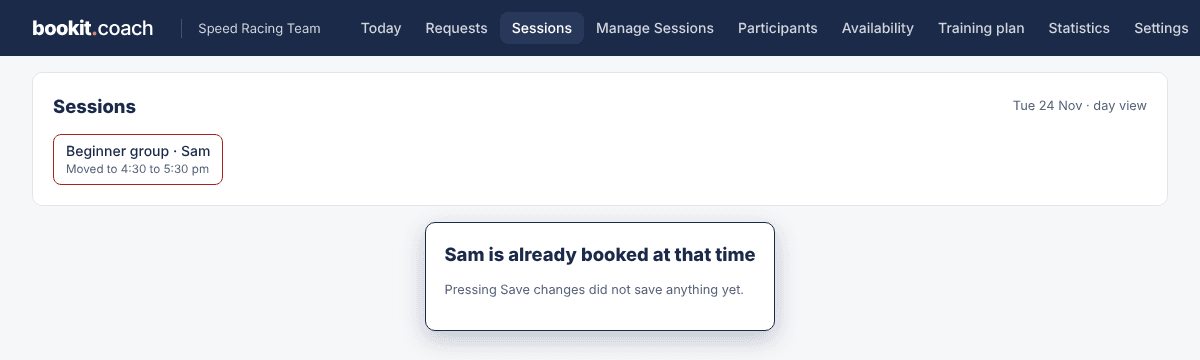
- Create a session, move one, or add a coach to a session as usual. If that coach already has a session at the same time, the Book anyway box opens instead of an error. Nothing is saved yet.
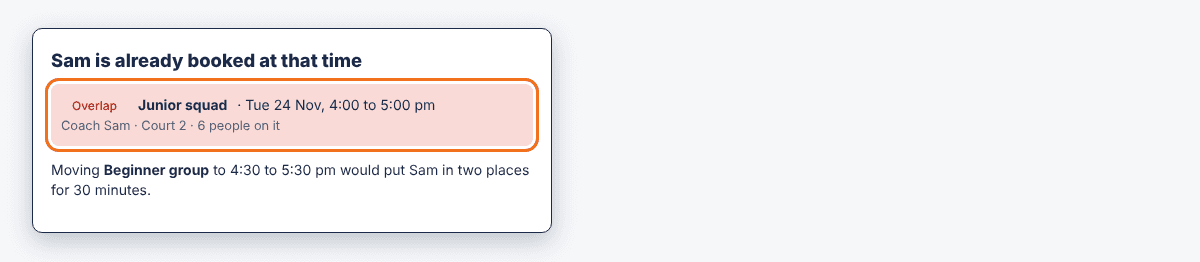
- Read the box. Each Overlap row shows what it clashes with: the session, its day and time, the place and how many people are on it, and how many minutes overlap.
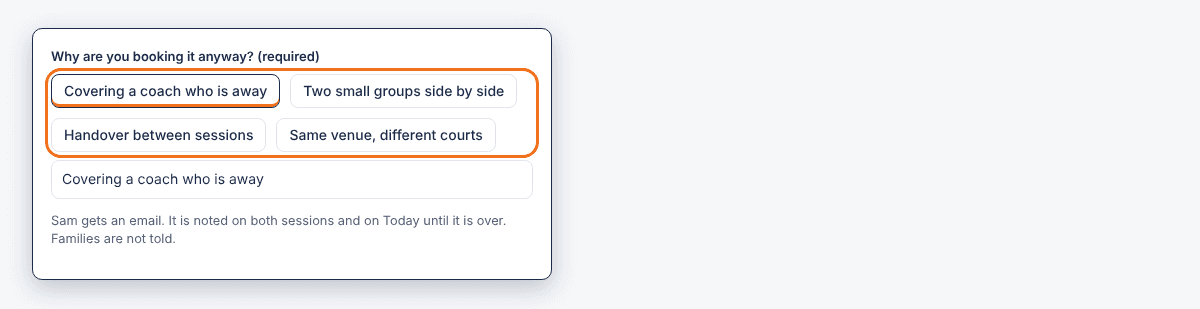
- Say why under Why are you booking it anyway? Press a quick reason or type your own. It needs a few words, up to 140 characters. The coach and the owner see it.
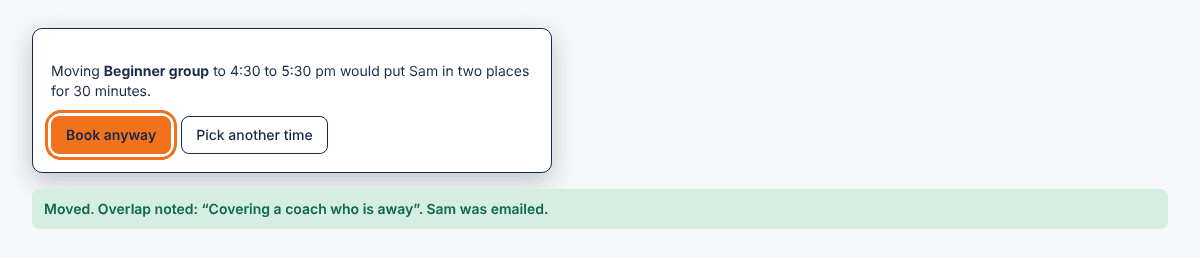
- Press Book anyway. The session is saved with the coach on it twice. The coach gets an email, and so does the owner when an admin did it. Families are not told.
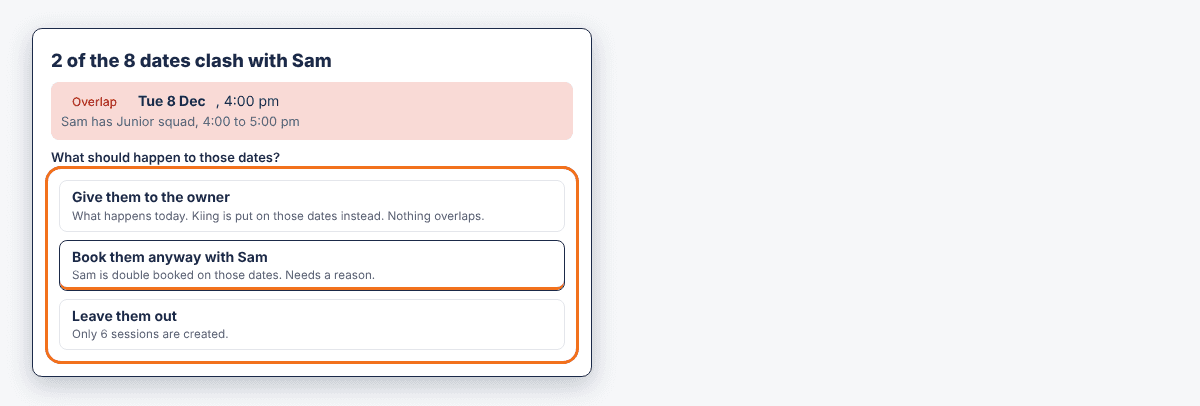
- For a weekly series, the box lists the dates that clash and asks what to do with them: Give them to the owner, Book them anyway with the coach (needs a reason), or Leave them out. If the first date clashes, it can only be booked anyway or changed.
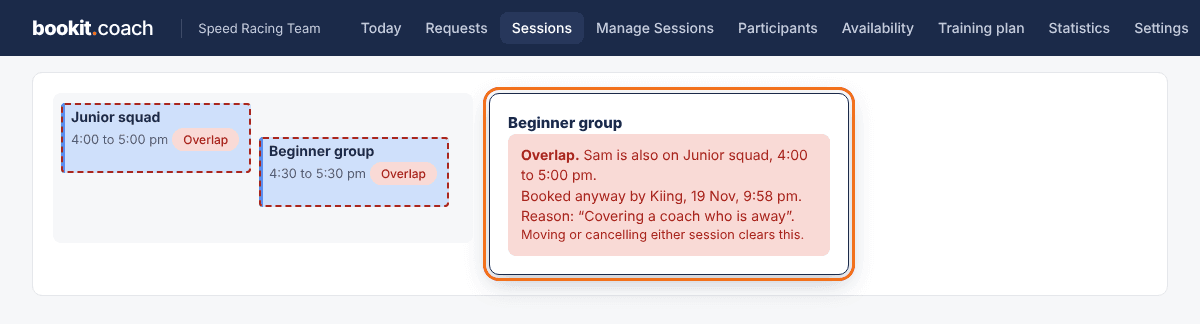
- Find it again on Sessions. Both blocks get a dashed red edge and the word Overlap. Press either one to see who booked it anyway, when, and the reason.
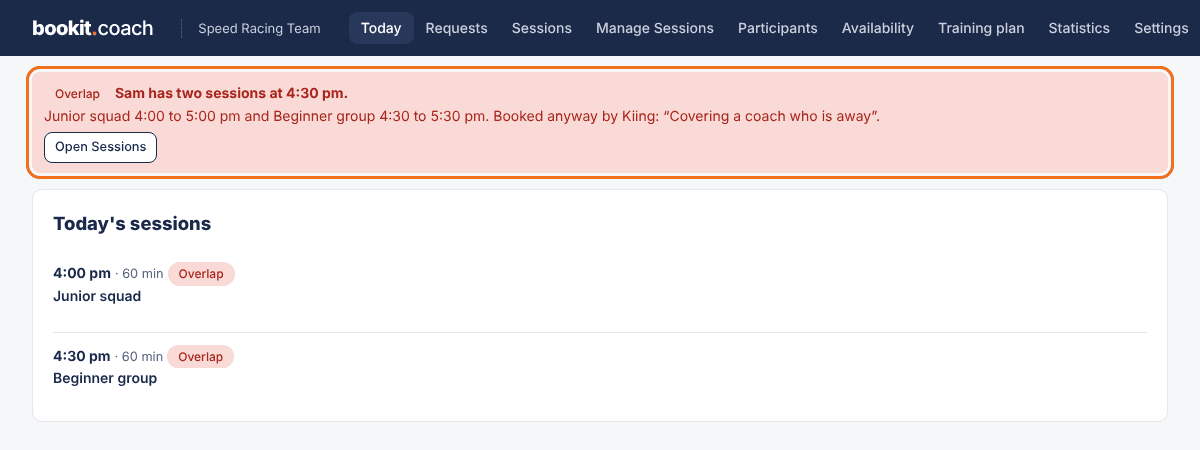
- On Today, a red Overlap banner sits above Today's sessions. Owners and admins see it until the overlap starts. The coach sees their own until it ends, with the reason and who to talk to.
Good to know
- Moving or cancelling either session clears the overlap mark. Nothing else needs undoing.
- A coach who is booked twice cannot cancel or move the other session. They can reply to the email or talk to whoever booked it anyway.
- Booking anyway covers one session at a time. Changing this and later dates, Save series and adding a coach to every later session still refuse a clash.
- Families and requests never create an overlap. Booking links and the public page still hide any time a coach is busy.
- On Statistics, coach hours count an overlap once, not twice.
Still stuck? Write to hello@bookit.coach. Last checked 21 November 2026.